
Dashboard tour
See how your rankings develop.
Products, keywords and saved observations in one place. Review progress with the check date and outcome visible, rather than treating every number as a live ranking.
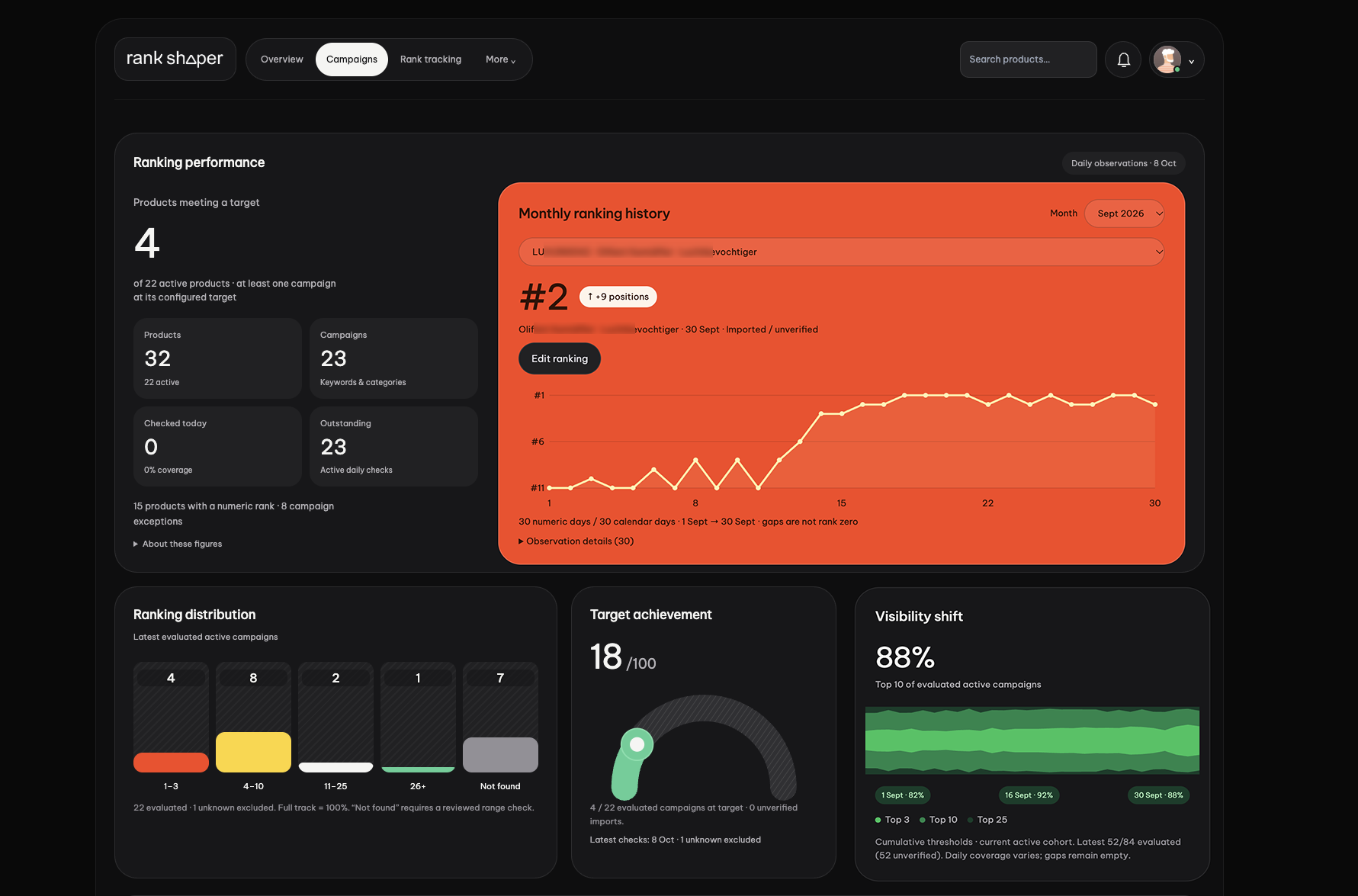
Dashboard screenshot · saved observations, not a live ranking feed.
Products & campaigns
Organise campaigns by brand, product and keyword or category. Each campaign has its own agreed target.
Latest saved position
See the recorded position alongside its check date and outcome. A missing check is not position zero.
Monthly history
Review observations across a selected month. Gaps and imported or unverified records retain their context.
Read the screenshot in three steps
Start with the saved position and its date. Then check monthly history for gaps and imported or unverified observations. Finally, discuss the next action with the team. Open the screenshot at full size to inspect details; this historical image is not evidence of a live check or a forecast.
A saved observation is a snapshot
A check records a result at a specific time and context. Search results can vary by location, timing and other factors. Observations are historical records, not a live or continuous feed.
How checks happen
Authorised staff can initiate ranking checks through the tracking controls. Checks run when initiated or scheduled for a campaign; a universal daily frequency is not promised. Confirm your checking and reporting arrangements with the team.
Access follows your package and invitation
Dashboard access and reporting are specified in your quote.
Choose the access that fits your scope.
Compare current package inclusions, or book a walkthrough before deciding.